Work

Work

Desktop/Mobile UX/UI Design

Desktop/Mobile UX/UI Design

Landing Page

Landing Page

SaaS

SaaS

B2B/B2C

B2B/B2C

Non-disclosure Agreement: All details and visual designs in this case study have been altered and rebranded to protect the employer’s intellectual property.

Summary

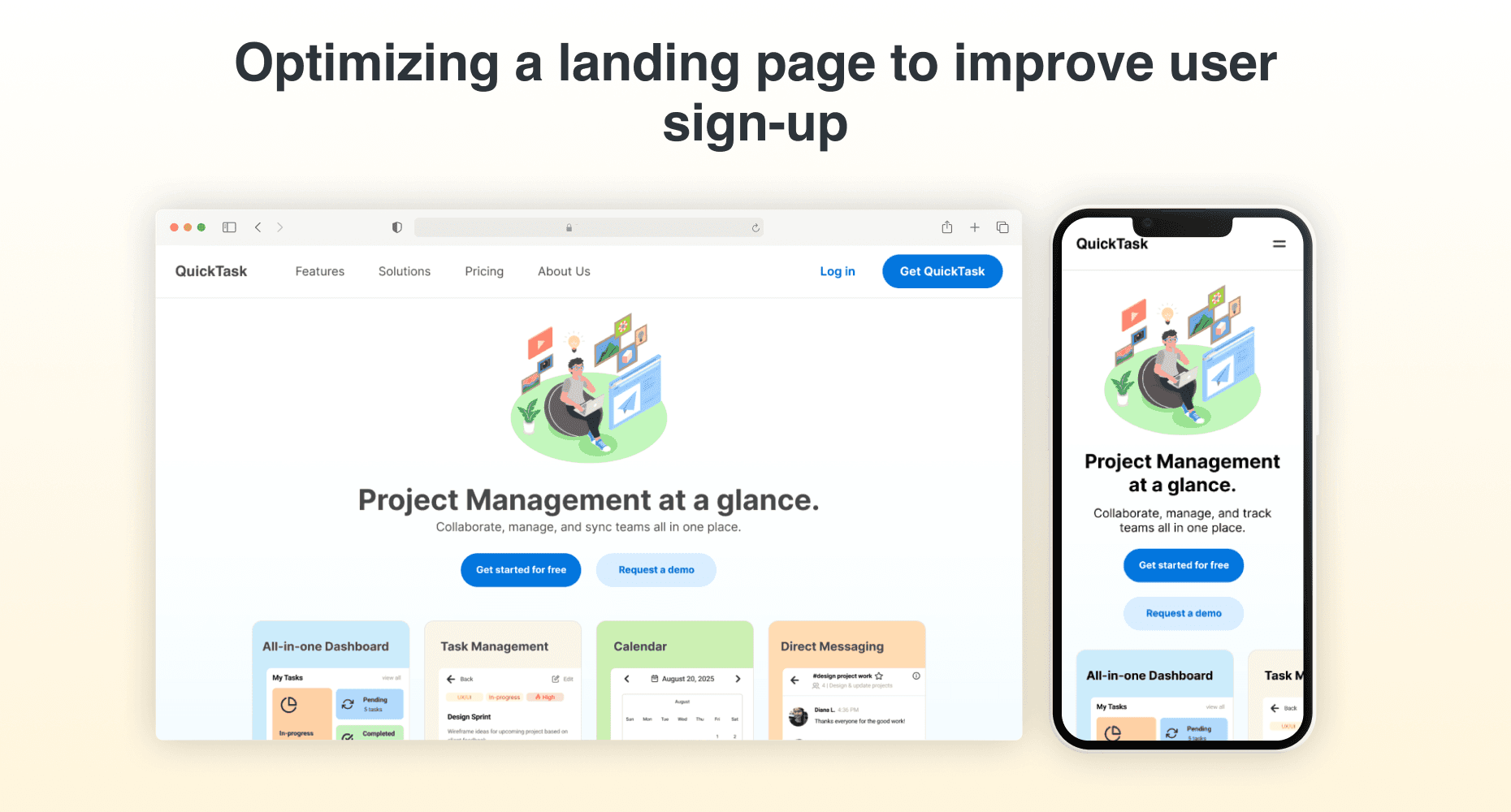
Optimizing a landing page for user sign-up and showcase product features through CTAs and simplified product descriptions.

Role

UX/UI Designer

Tools

Figma

Team

1 Front end developer

1 Back end developer

Scope

Research

Visual Design

Prototyping

Timeline

November 2025 - December 2025 (1st iteration)

January 2026 (2nd iteration)

November 2025 - December

2025 (1st iteration)

January 2026 (2nd iteration)

Role

UX/UI Designer

Tools

Figma

Team

1 Front end developer

1 Back end developer

Scope

Research

Visual Design

Prototyping

Timeline

November 2025 - December 2025 (1st iteration)

January 2026 (2nd iteration)

Designing a landing page that fits the stakeholders’ vision, yet simplifies the product features explanations to encourage user sign-up conversion.

Challenge

User Research

For the first version, I did not have time to conduct user interviews due to a very tight deadline of one week. When the launch deadline was pushed up, I worked on a second version while considering stakeholder requests and user insights that were shared with me. Among the potential users they surveyed, the site needed to include an area with user reviews. User reviews will help build rapport with other potential users whether they’re consumers or businesses. I also conducted a competitive analysis of similar websites and product landing pages to better inform my design process to improve potential user sign up.

🗣️ Stakeholder requests:

Hero section with CTA & simple headline

CTA buttons per each section in features

Feature user reviews

🗣️ Stakeholder requests:

Hero section with CTA & simple headline

CTA buttons per each section in features

Feature user reviews

🗣️ Stakeholder requests:

Hero section with CTA & simple headline

CTA buttons per each section in features

Feature user reviews

📊 User Persona Demographics:

Age:

25-34, 35-49

Income range:

Middle to high earners

Location:

Urban and sub-urban areas

Key Traits:

Tech savvy, brand value, convenience-oriented, quality performance, user-review trust

📊 User Persona Demographics:

Age:

25-34, 35-49

Income range:

Middle to high earners

Location:

Urban and sub-urban areas

Key Traits:

Tech savvy, brand value, convenience-oriented, quality performance, user-review trust

📊 User Persona Demographics:

Age:

25-34, 35-49

Income range:

Middle to high earners

Location:

Urban and sub-urban areas

Key Traits:

Tech savvy, brand value, convenience-oriented, quality performance, user-review trust

Based on my website audits of similar websites, I noticed 5 key trends that help make a platform’s product clear for users. With these findings, I utilized these concepts while also keeping what users may be considering in mind when they are learning about the product and it’s usage.
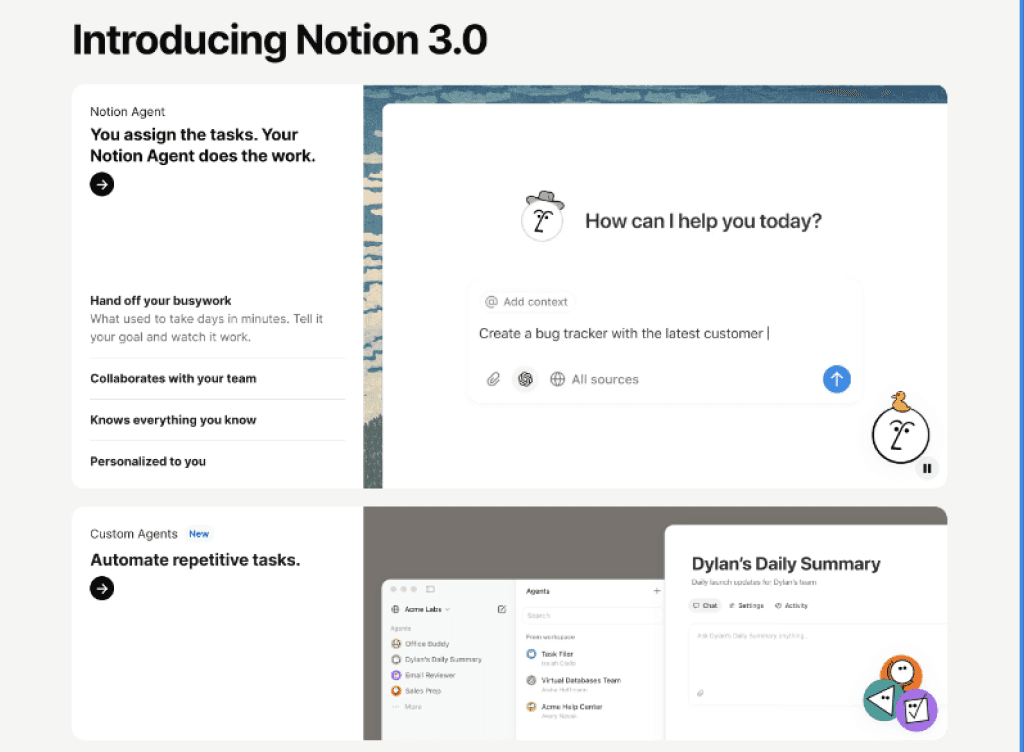
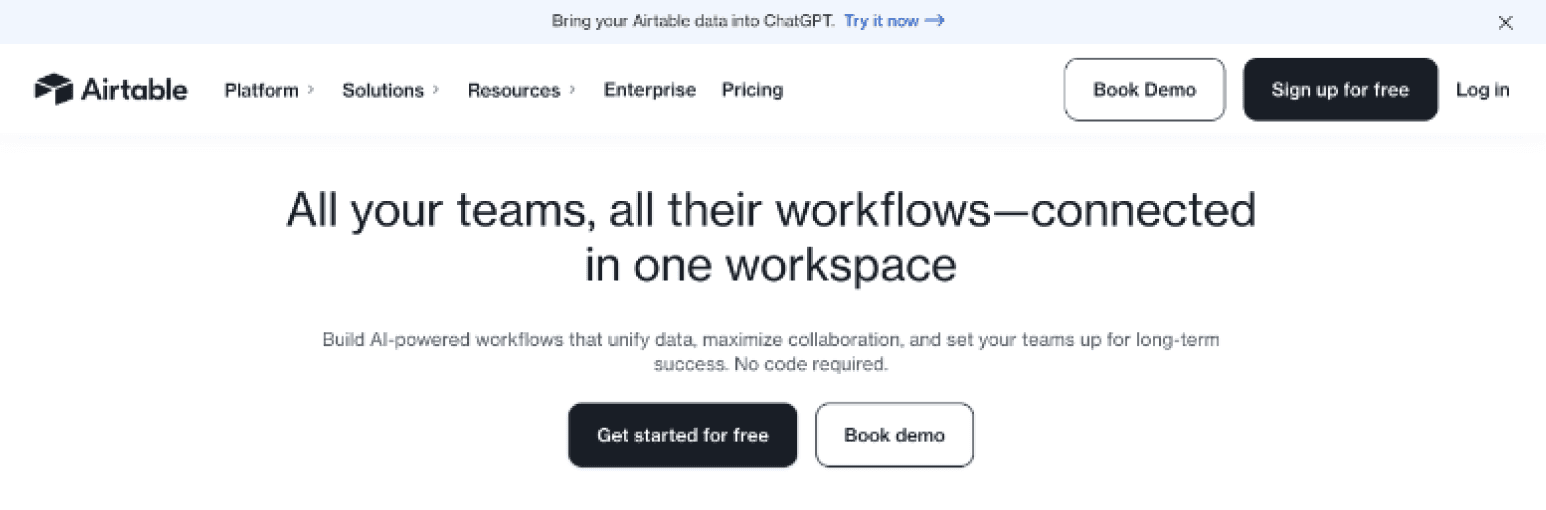
📈 Key Trends:

Video demos

Review collages/banners

CTAs per feature

Short descriptions

Straightforward navigation

📈 Key Trends:

Video demos

Review collages/banners

CTAs per feature

Short descriptions

Straightforward navigation

📈 Key Trends:

Video demos

Review collages/banners

CTAs per feature

Short descriptions

Straightforward navigation

🏢 Companies:

🏢 Companies:

🏢 Companies:

✅ Strengths:

Interactive design elements

Clear CTAs

Visual Clarity & descriptions

✅ Strengths:

Interactive design elements

Clear CTAs

Visual Clarity & descriptions

✅ Strengths:

Interactive design elements

Clear CTAs

Visual Clarity & descriptions

❌ Weaknesses:

Long scroll lengths

Featured business testimonials but no consumer reviews

❌ Weaknesses:

Long scroll lengths

Featured business testimonials but no consumer reviews

❌ Weaknesses:

Long scroll lengths

Featured business testimonials but no consumer reviews

Lo-Fi Sketch → Hi-Fi Wireframes
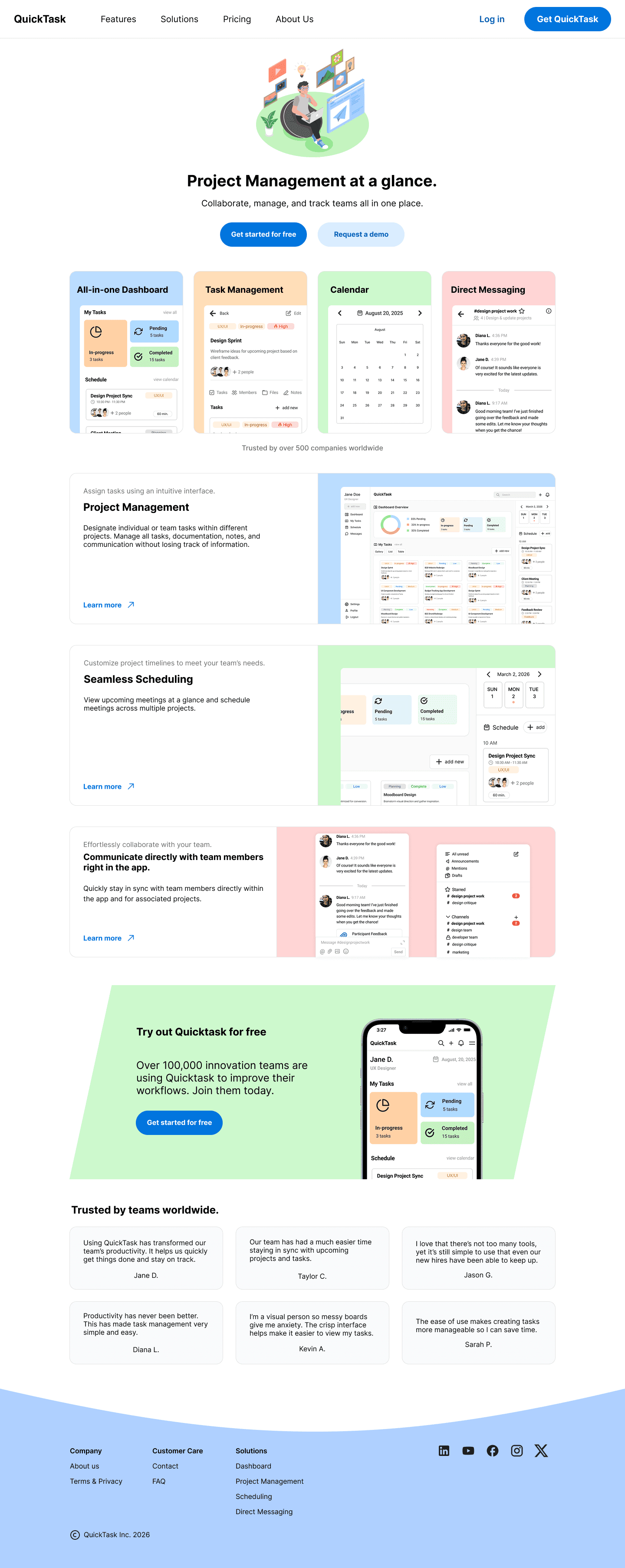
Lo-fi → Hi-fi Wireframes

Lo-fi → Hi-fi Wireframes

Lo-fi → Hi-fi Wireframes

☑️ Lo-Fi V1

☑️ Lo-Fi V1

☑️ Lo-Fi V1

❌ Hi-Fi V1

❌ Hi-Fi V1

❌ Hi-Fi V1

✅ Hi-Fi V2

✅ Hi-Fi V2

✅ Hi-Fi V2

Originally included a B2B CTA section with device-specific QR download codes before it was decided not to include them.

Originally included a B2B CTA section with device-specific QR download codes before it was decided not to include them.

Originally included a B2B CTA section with device-specific QR download codes before it was decided not to include them.

Colors did not seem to match well with the product and there was a lack of visual design to make it more engaging when scrolling.

Colors did not seem to match well with the product and there was a lack of visual design to make it more engaging when scrolling.

Colors did not seem to match well with the product and there was a lack of visual design to make it more engaging when scrolling.

Adjusted colors, added in an extended company testimonial section, and included more section information.

Adjusted colors, added in an extended company testimonial section, and included more section information.

Adjusted colors, added in an extended company testimonial section, and included more section information.

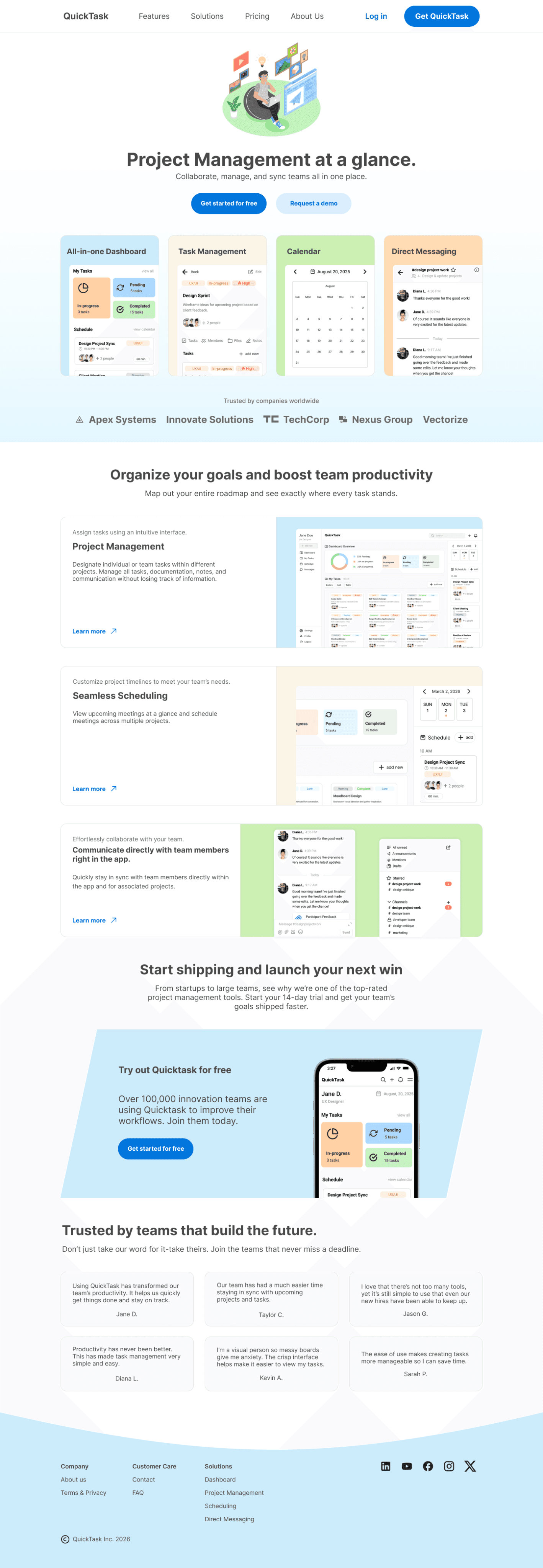
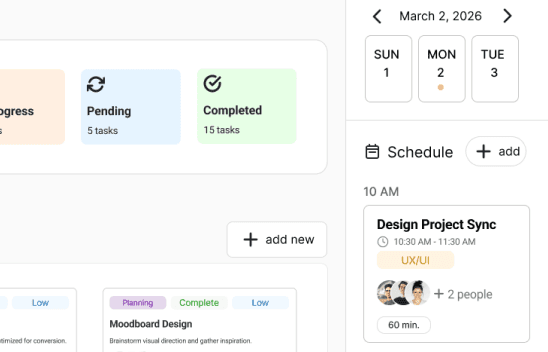
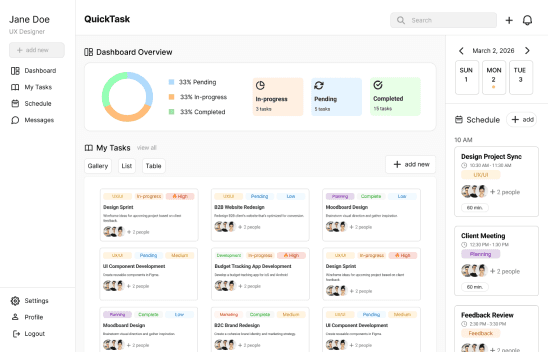
Based on the website audits I conducted, many product landing pages utilize CTAs and short descriptions to encourage informed decisions. I used CTA buttons throughout the the product features section for users to gather more information, within the hero section and header for quick sign ups if they want to try the product right away, and the B2B section highlighting how it can be used for businesses.
Key Design Decisions

Key Design Decisions

1st Version: Product Feature CTAs

1st Version: Product Feature CTAs

1st Version: Product Feature CTAs

2nd Version: Added B2B CTA section

2nd Version: Added B2B CTA section

2nd Version: Added B2B CTA section

Learn more

Learn more

Learn more

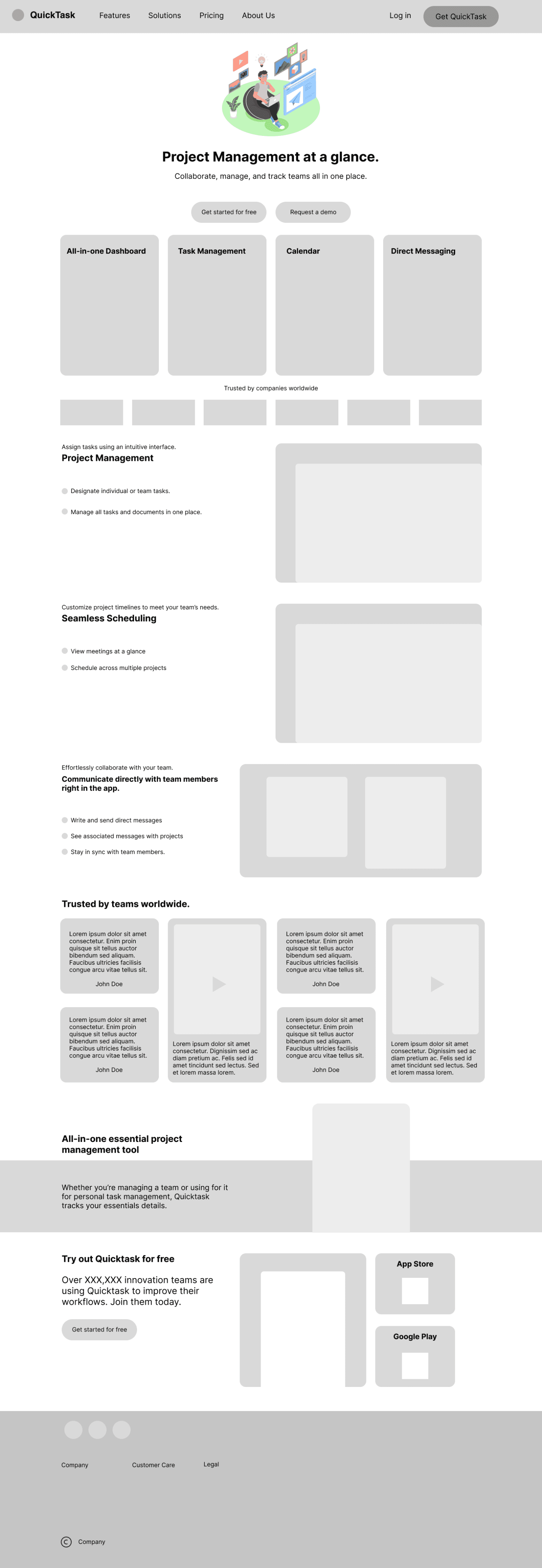
Seamless Scheduling

Seamless Scheduling

Seamless Scheduling

Customize project timelines to meet your team’s needs.

Customize project timelines to meet your team’s needs.

Customize project timelines to meet your team’s needs.

View upcoming meetings at a glance and schedule meetings across multiple projects.

View upcoming meetings at a glance and schedule meetings across multiple projects.

View upcoming meetings at a glance and schedule meetings across multiple projects.

Learn more

Learn more

Learn more

Project Management

Project Management

Project Management

Assign tasks using an intuitive interface.

Assign tasks using an intuitive interface.

Assign tasks using an intuitive interface.

Designate individual or team tasks within different projects. Manage all tasks, documentation, notes, and communication without losing track of information.

Designate individual or team tasks within different projects. Manage all tasks, documentation, notes, and communication without losing track of information.

Designate individual or team tasks within different projects. Manage all tasks, documentation, notes, and communication without losing track of information.

Communicate directly with team members right in the app.

Communicate directly with team members right in the app.

Communicate directly with team members right in the app.

Effortlessly collaborate with your team.

Effortlessly collaborate with your team.

Effortlessly collaborate with your team.

Quickly stay in sync with team members directly within the app and for associated projects

Quickly stay in sync with team members directly within the app and for associated projects

Quickly stay in sync with team members directly within the app and for associated projects

Learn more

Learn more

Learn more

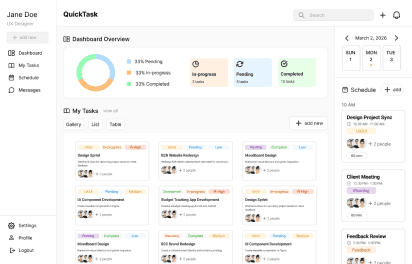
Desktop

Desktop

Desktop

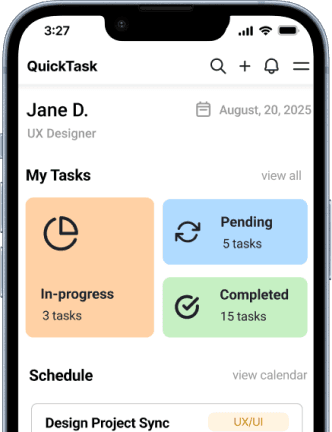
Mobile

Mobile

Mobile

Desktop

Desktop

Desktop

Start shipping and launch your next win

Start shipping and launch your next win

Start shipping and launch your next win

Try out Quicktask for free

Try out Quicktask for free

Try out Quicktask for free

Over 100,000 innovation teams are using Quicktask to improve their workflows. Join them today.

Over 100,000 innovation teams are using Quicktask to improve their workflows. Join them today.

Over 100,000 innovation teams are using Quicktask to improve their workflows. Join them today.

From startups to large teams, see why we’re one of the top-rated project management tools. Start your 14-day trial and get your team’s goals shipped faster.

From startups to large teams, see why we’re one of the top-rated project management tools. Start your 14-day trial and get your team’s goals shipped faster.

From startups to large teams, see why we’re one of the top-rated project management tools. Start your 14-day trial and get your team’s goals shipped faster.

Get started for free

Get started for free

Get started for free

Originally, there were no CTA buttons in the lo-fi designs for the features; however, to increase the chances of users signing up instead of relying only on the hero section, I added in CTAs within the product features section so users can learn more about how the products work. This allows users to develop a more informed decision before signing up.

Originally, there were no CTA buttons in the lo-fi designs for the features; however, to increase the chances of users signing up instead of relying only on the hero section, I added in CTAs within the product features section so users can learn more about how the products work. This allows users to develop a more informed decision before signing up.

Originally, there were no CTA buttons in the lo-fi designs for the features; however, to increase the chances of users signing up instead of relying only on the hero section, I added in CTAs within the product features section so users can learn more about how the products work. This allows users to develop a more informed decision before signing up.

While I did not have time during the first deadline, for the second version, I adjusted a CTA section for B2B users. I included a short testimonial for user proof on the product’s business use and changed the CTA so it can encourage B2B users to test a trial before registering for an official account.

While I did not have time during the first deadline, for the second version, I adjusted a CTA section for B2B users. I included a short testimonial for user proof on the product’s business use and changed the CTA so it can encourage B2B users to test a trial before registering for an official account.

While I did not have time during the first deadline, for the second version, I adjusted a CTA section for B2B users. I included a short testimonial for user proof on the product’s business use and changed the CTA so it can encourage B2B users to test a trial before registering for an official account.

I went with a grid layout for the reviews section since videos may be incorporated later and could be adjusted using a bento layout. This way, if a video review format was added, it could maintain some consistency with the grid layout. While the business testimonials may not be included in the launch, I included it to showcase to stakeholders how it might be incorporated once more product usage and proof has been gathered.

User Reviews

User Reviews

User Reviews

B2B Testimonials

B2B Testimonials

B2B Testimonials

One of the key features the stakeholders requested was to include a section for user reviews that could be potentially rotated out.

One of the key features the stakeholders requested was to include a section for user reviews that could be potentially rotated out.

One of the key features the stakeholders requested was to include a section for user reviews that could be potentially rotated out.

Under the hero section, I added in a companies testimonials area to showcase product proof. While it may not be used in the beginning, it can be included in future versions once the product launches and there is more proof.

Under the hero section, I added in a companies testimonials area to showcase product proof. While it may not be used in the beginning, it can be included in future versions once the product launches and there is more proof.

Under the hero section, I added in a companies testimonials area to showcase product proof. While it may not be used in the beginning, it can be included in future versions once the product launches and there is more proof.

Jane D.

Jane D.

Jane D.

Taylor C.

Taylor C.

Taylor C.

Diana L.

Diana L.

Diana L.

Kevin A.

Kevin A.

Kevin A.

Using QuickTask has transformed our team’s productivity. It helps us quickly get things done and stay on track.

Using QuickTask has transformed our team’s productivity. It helps us quickly get things done and stay on track.

Using QuickTask has transformed our team’s productivity. It helps us quickly get things done and stay on track.

Our team has had a much easier time staying in sync with upcoming projects and tasks.

Our team has had a much easier time staying in sync with upcoming projects and tasks.

Our team has had a much easier time staying in sync with upcoming projects and tasks.

Productivity has never been better. This has made task management very simple and easy.

Productivity has never been better. This has made task management very simple and easy.

Productivity has never been better. This has made task management very simple and easy.

I’m a visual person so messy boards give me anxiety. The crisp interface helps make it easier to view my tasks.

I’m a visual person so messy boards give me anxiety. The crisp interface helps make it easier to view my tasks.

I’m a visual person so messy boards give me anxiety. The crisp interface helps make it easier to view my tasks.

Trusted by companies worldwide

Trusted by companies worldwide

Trusted by companies worldwide

Innovate Solutions

Innovate Solutions

Innovate Solutions

Vectorize

Vectorize

Vectorize

TechCorp

TechCorp

TechCorp

Apex Systems

Apex Systems

Apex Systems

Nexus Group

Nexus Group

Nexus Group

Usability Testing

There were no major issues for usability after creating the prototype other than adjusting the header font for a stylistic preference for the stakeholders. While they wanted to use a new font, it was initially difficult to read, however, I made some adjustments for the new font to have a medium weight and all capitals for readability.

After the initial presentation, I revisited the design after two weeks to make adjustments from the feedback to include a mobile version with an adjusted reviews section layout for scrolling and added a cookie consent banner after the stakeholders let me know about some legal requirements they need to meet.

Takeaways
Based on feedback from the stakeholders, I’ll be creating a dark mode and potentially a phone passcode sign-in as one of the stakeholders requested to have it as an option for the future.

Based on feedback from the stakeholders, I’ll be creating a dark mode and potentially a phone passcode sign-in as one of the stakeholders requested to have it as an option for the future.

Thank you for reading my case study!

Thank you for reading my case study!

View more case studies:

View more case studies: