

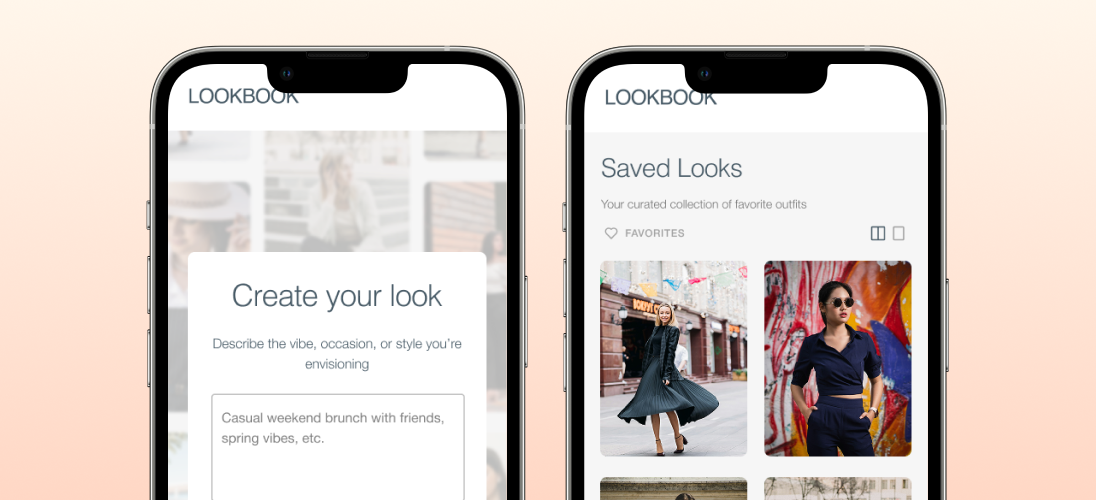
Lookbook: AI Personal Stylist & Closet Organizer
CONTEXT
What inspired my project?
While I was organizing my closet, I realized although I had a lot of pieces I liked, it was time-consuming to go through my whole closet to look through it whenever I wanted to pick out pieces for an outfit. If there was a way I could easily store pictures of my clothes, I figured it would also be easier to put together an outfit. I also thought it’d be fun to use AI prompts to help me come up with potential outfit ideas from what I already had too.
Note: Prototype is not fully functional and only showcases key features.
CHALLENGE
What are the User Needs?
Visually organize clothing - I wanted to be able to see pictures of my clothes so I could visualize them better with other pieces that could work well together.
An AI prompt tool for quick planning - In case I’m feeling indecisive or just want to explore ideas, I wanted to add an AI chat where I could ask it to put together outfit ideas based on certain themes, requests, etc. or have it offer suggestions.
Save outfits for future reference - So it’s easier to pick outfits I like, there needs to be a filter to see all the outfits that I liked without having to keep scrolling through the app.
CHALLENGE
Design an AI stylist & closet organizer app that is intuitive for users to both organize clothes and come up with outfits.
DESIGN DECISIONS
Refining the Final Designs
Essential UI Elements
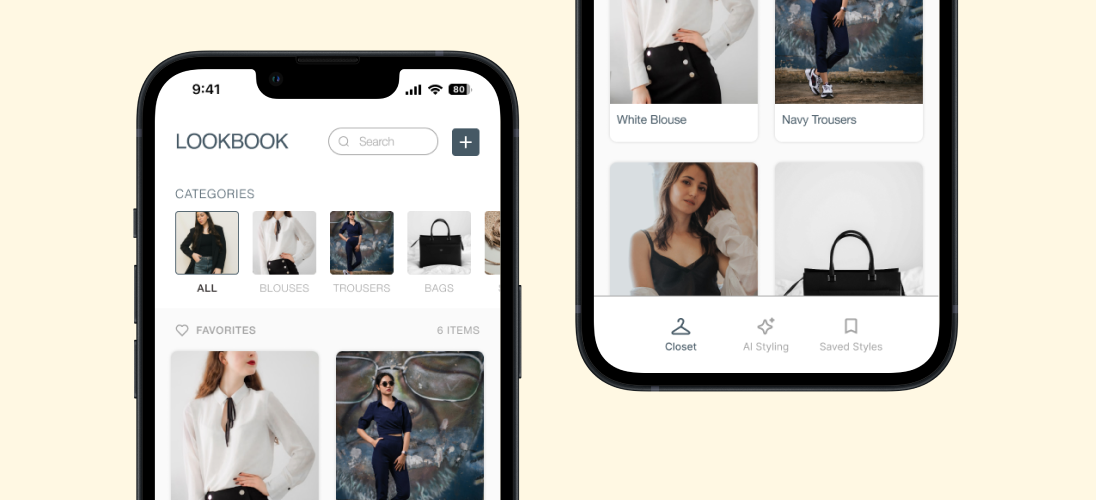
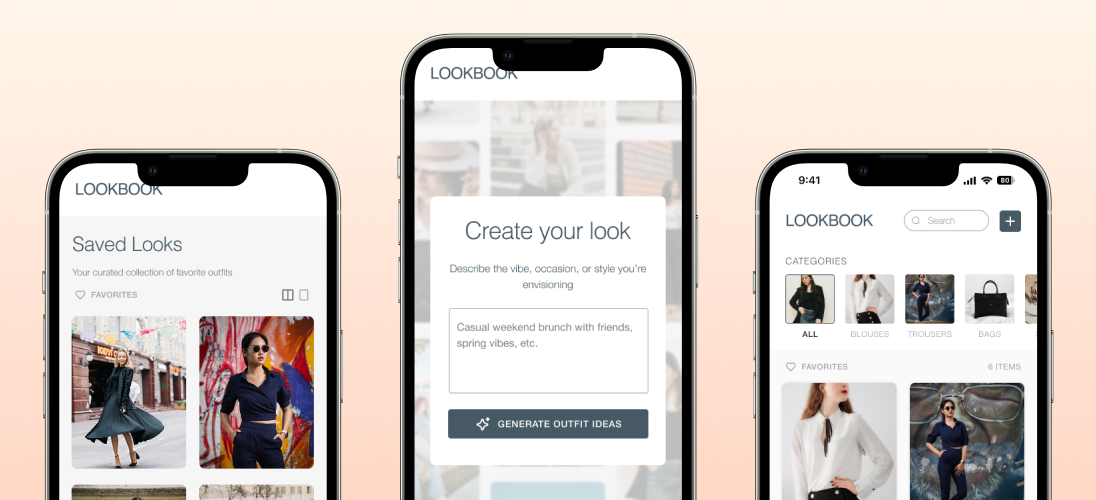
To make navigating through the app seamless, I included some core UI elements that users can use to quickly navigate through. These include a search bar where users can quickly search items and a button to add new items. I also included a categories filter to organize everything clearly. There’s also a favorites button to easily see all saved clothes. The number of items is also shown so users are aware of how much is in their closet. For the bottom navigation bar, I separated the features so users can easily switch between viewing their closet, using the AI stylist agent or seeing their saved styles.
AI Style Agent
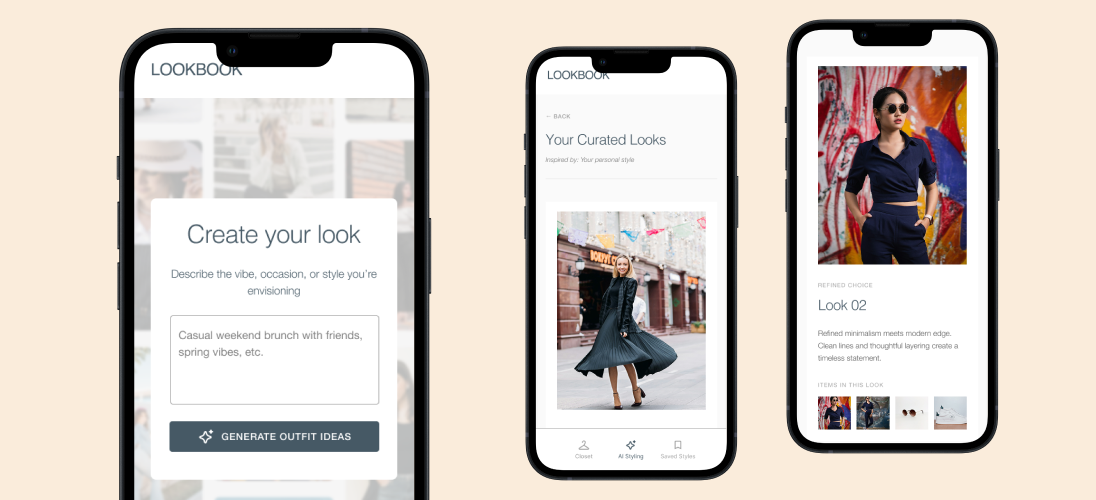
For the AI style agent, I added in some suggestions that users can use as recommendations for what to ask the stylist. This agent would then generate personalized suggestions based on the prompt and come up with a few ideas that include all the pieces, the theme, and what occasions it could be worn for.
Saved Styles
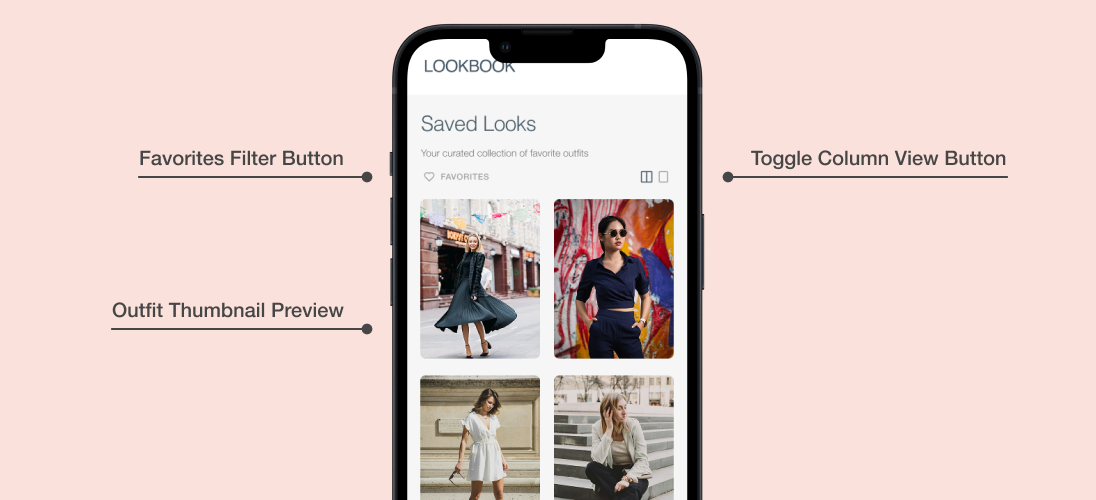
For the saved styles tab, I included all the saved outfits that were AI generated as well as favorites users could select. I also wanted an editorial feel for users who enjoy scrolling through, so I utilized both a 2-column and 1-column view that could be toggled. At the moment, I was only able to get it to save AI-generated styles, but I would like to make it include styles users personally make so it’s not just AI-generated outfits.
THANK YOU FOR READING ABOUT MY PROJECT!
Final Notes
Overall, although it was very quick to create this project with the help of Figma Make, I’ve realized there are also more needs I have to consider. During the project, I noticed there were various elements that were missing that could improve the user experience including a way to manually edit the categories, better labeling, and considering a more advanced use for AI functions. In the future, I’d like to come back to this to improve on the functionality so it’s better for user customization.